
 Filter





Full ingredient lists
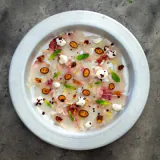
Each pizza’s description has room for the whole list: base, cheeses, toppings and the drizzle of oil at the end. And a photo, if you like.
Every pizza with its ingredients, its allergens and its price, whole or by the portion. Your customers see which pizzas are vegetarian, vegan or gluten-free before ordering, and you change the pizza of the month from your phone.
A pizzeria menu is twenty or thirty combinations of dough, tomato, cheeses and toppings. Customers want to know whether the four cheese has gorgonzola, whether the diavola is really spicy or whether there’s one without lactose for their daughter. On paper, the ingredients don’t fit or end up in tiny print.
And a pizza’s allergens aren’t just the gluten in the dough: there’s the milk in the cheese, the nuts in the pesto, the fish in the anchovies, the mustard in a sauce. When you switch mozzarella supplier or launch a new pizza, the printed menu falls behind.
A QR digital menu gives every pizza room for its ingredients and allergens, and updates as soon as you change the recipe.Each pizza’s description has room for the whole list: base, cheeses, toppings and the drizzle of oil at the end. And a photo, if you like.
A pizza can have several prices at once, each with its format: Dish, Portion or Half portion. Handy if you also sell by the slice.
Mark pizzas as spicy, vegetarian, vegan or gluten-free, and customers filter for them with one tap.
The 14 allergens as icons: the gluten in the dough, the milk in the cheeses, the nuts in the pesto, the fish in the anchovies.
Add the seasonal pizza when it arrives and hide it when the truffle runs out, without reprinting the menu.
One menu for the pizzas and others for starters, drinks or desserts: customers jump straight to the one they’re after.
A photo or the PDF of your menu, and AI creates the pizzas with their ingredients and prices in a minute. If your menu already marks allergens, it picks those up too.
Go through each pizza and mark any missing allergens, plus the vegetarian, vegan, gluten-free or spicy labels.
Dine-in customers scan at the table; those waiting for a takeaway order, at the counter. The same QR for everyone.
Icons for the 14 allergens next to every pizza, even when customers read the menu in Spanish, German, French or Italian.
Dish, Portion and Half portion on the same pizza, each price with its label, without duplicating products.
Change a price, add the pizza of the month or hide the one you can’t make today. It shows instantly.
Turn on the languages you need: names and ingredients are translated automatically and you can correct them.
One photo per pizza, if you have one, so customers see what they’re ordering before it comes out of the oven.
Scan and read. Nothing to download, whether for your regulars or for someone walking in for the first time.
The first month is free and we don’t ask for a card. No commitment.
Create my free accountQuestions? hello@ohmymenu.com · +34 621 385 695